CONSTRUCTION
View history of cost forecast details in work in progress (WIP) management—Early Adopter
If you break down project costs by Tasks or by Tasks and cost types, you can view history at the project level and at the level of detail you use, on the following pages:
- WIP project history: Shows history at the project level. This page is the same as the WIP History page that's been available previously.
- WIP detail history: Shows history at the level of detail that you use for project costs.
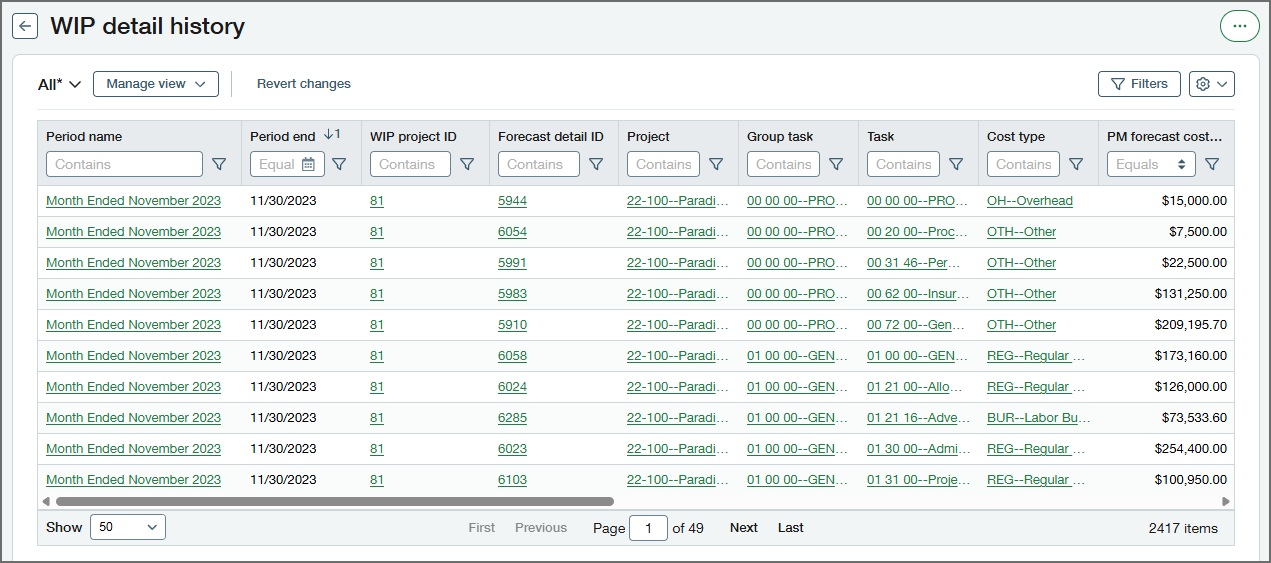
Both of the history pages show information from all WIP schedules for your entity, so you can see historical trends for projects and create customized sets of data for analysis. You can also export WIP schedule information from both pages.
What's the Early Adopter program?
The Early Adopter program is available to a select group of customers who test new features and provide feedback. Your input will help us refine and improve these features before the general release.
If you want to be considered for the Early Adopter program, fill out this form. Your account manager will be in touch.
To contact your account manager directly, see Contact your Sage Intacct account manager.
Permissions and other requirements
| Subscription |
Construction Projects |
|---|---|
| Regional availability |
|
| User type |
Business Construction Manager Project Manager |
| Permissions |
Projects
|
