Reporting & insights
Compare-to options for additional reporting periods in performance cards
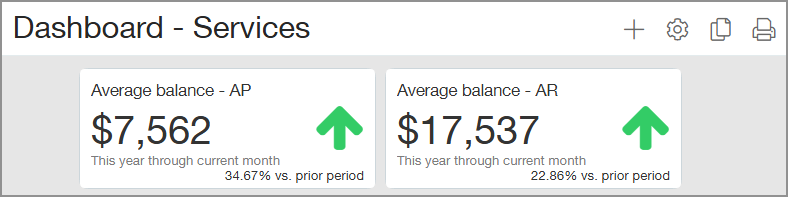
We've added more options for using dashboard performance cards to compare data across cumulative reporting periods.
Key benefit
Improved trend insights: See how current performance tracks against historical data to better understand growth, decline, and seasonality.
How it works
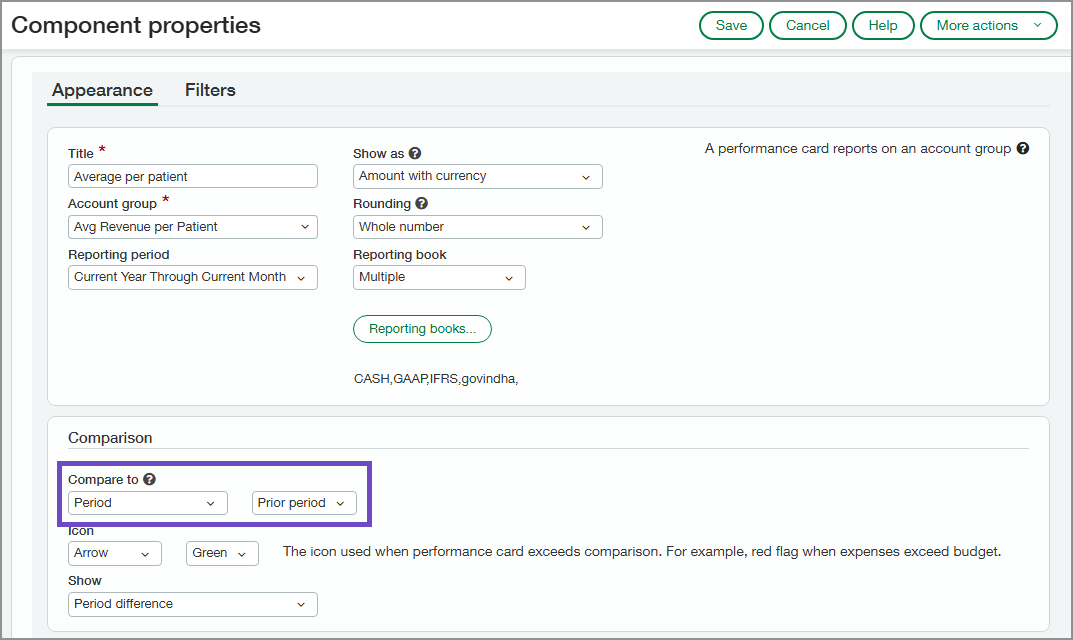
When you select one of the following reporting periods, you can now use the prior period for comparison by selecting Period in the Compare to field.
-
Current Year Through Current Month
-
Current Year Through Prior Month
-
Current Year Through Prior Quarter
-
Fiscal - Current Year Through Current Month
-
Fiscal - Current Year Through Prior Month
-
Fiscal - Current Year Through Prior Quarter
Permissions and other requirements
| Subscription |
General Ledger |
|---|---|
| Regional availability |
All regions |
| User type |
Business |
| Permissions |
Company Dashboard: List, View, Add, Edit |
