Taxes
Override tax schedules in Order Entry and Purchasing
This idea came from you
Customers using our standard or custom tax solutions can make tax schedule maps inactive and override tax schedules at the line level in transactions, giving you control over tax calculations to fit your business needs.
Key benefits
-
Simplified tax determination: Streamline taxes in transactions by making unused standard tax schedule maps inactive.
-
Improved customization: Override inactive tax schedule maps with custom maps to support unique tax scenarios and business requirements.
How it works
We made several enhancements that let you more easily manage tax schedules and tax schedule maps.
Tax schedule maps use the contact tax group and item tax group to determine which tax schedule to apply to the line in a transaction. They are included in most standard tax solutions, and you can create custom tax schedule maps for custom tax solutions.
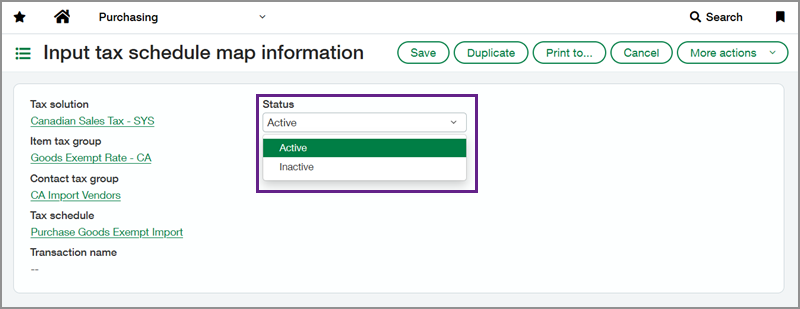
Now, you can also mark standard tax schedule maps as inactive. Inactive tax schedule maps are no longer used for automatic tax calculations when creating transactions. When you make a standard tax schedule map inactive, you can create a custom tax schedule map to replace it as the default tax schedule map for that combination of contact tax group and item tax group.
Additionally, when you enable tax schedule override for Order Entry or Purchasing transactions, you can select tax schedules at the transaction line level, including standard tax schedules that were previously restricted.
Permissions and other requirements
| Subscription |
Order Entry Purchasing Taxes |
|---|---|
| Regional availability |
All regions |
| User type |
Business |
| Permissions |
Order Entry
Purchasing
|
