platform services
Include advanced reports in application packages
With this release, we continue to give you more flexibility and options. Now you have another way to add Interactive Visual Explorer and Interactive Custom Reports to an application so that you can include them in your package.
Details
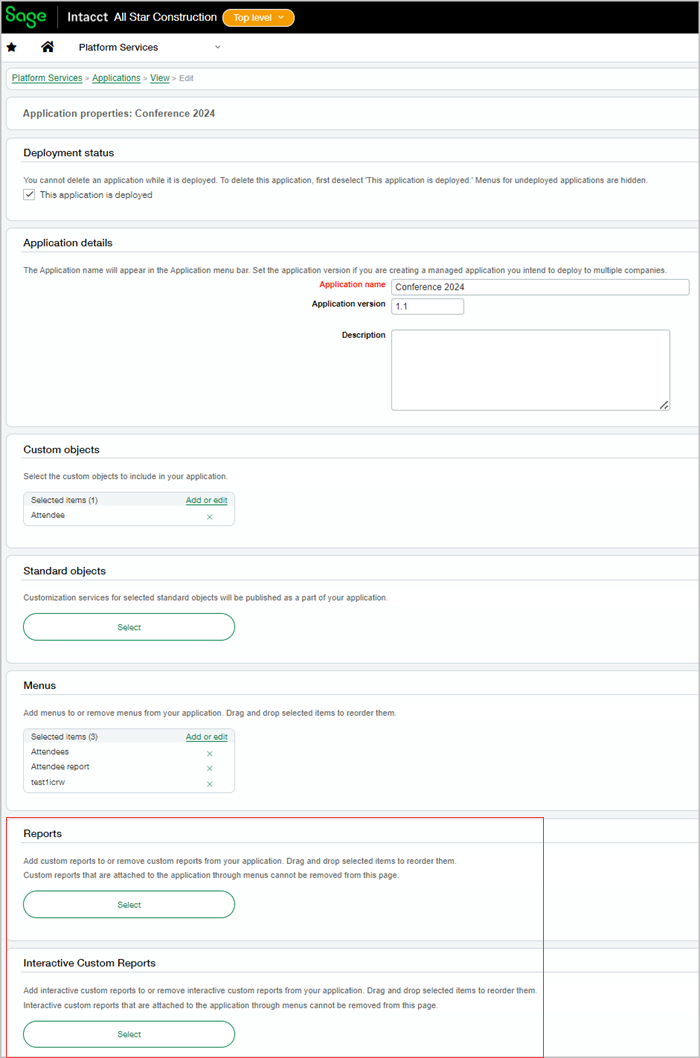
When you define a Platform application menu, you can select reports for your menu type. Now you can also add additional advanced reports to your application from the application page. Adding reports directly from the application page streamlines your application creation process and allows you to include the reports in your application package. You can continue to add reports from menus as well.
How it works
- Go to Platform Services > Platform tools, and select Applications.
- Select the application to which you want to add the report.
- From the shortcuts in the component lists, select Reports.
- Next to Reports select Add existing reports.
- Use Select to choose your reports.
Permissions and other requirements
| Subscription |
Platform Services Interactive Custom Report Writer Interactive Visual Explorer |
|---|---|
| Regional availability |
All regions |
| User type |
Business with full admin privileges |
| Permissions |
Permissions to the Platform Services application |
