General Ledger
Announcing GL account reconciliations
Streamline your end-to-end reconciliation process with GL account reconciliations. This feature makes it simpler and faster to match offsetting debit and credit entry lines, resulting in more efficient reviews. We've also added a new GL account reconciliations activity report.
Key benefits
-
Makes it easy to find unmatched entries so that you can focus on exceptions.
-
Improves audit clarity with a documented history of matched lines.
Details
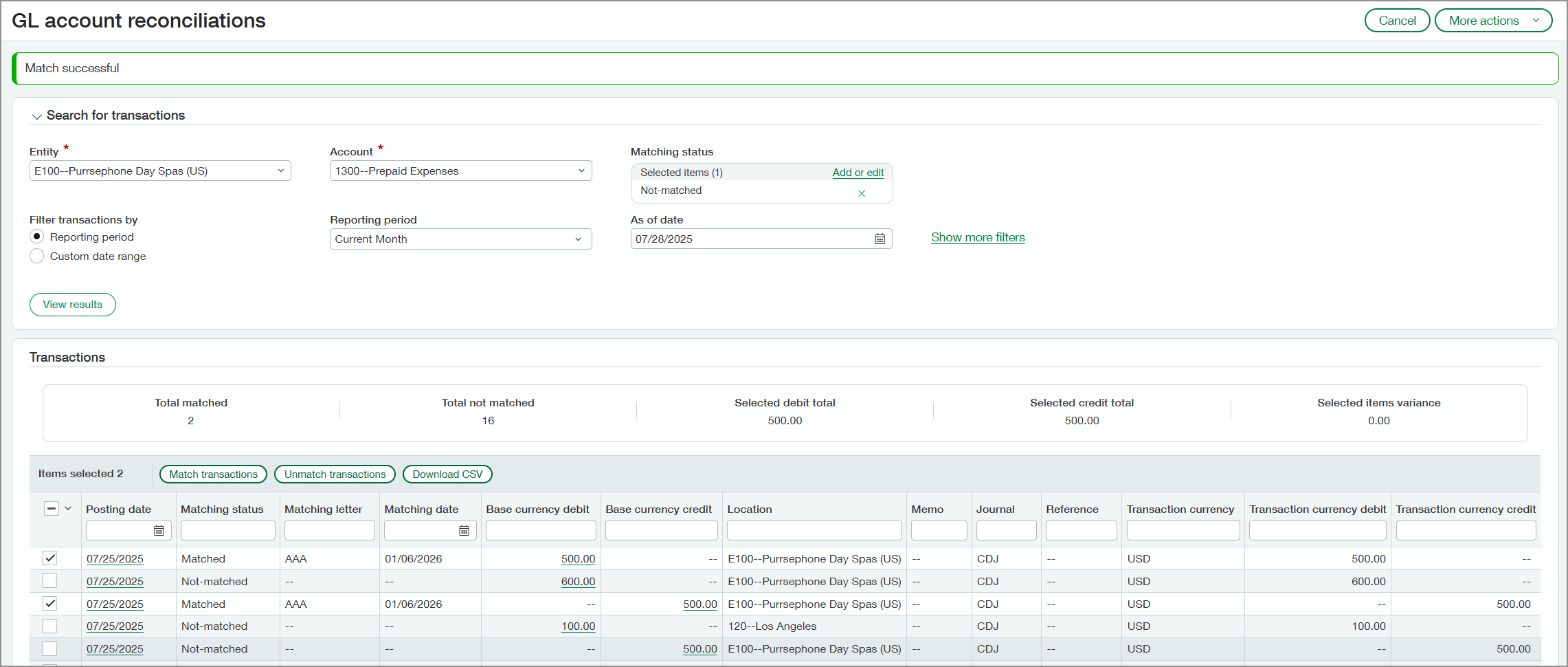
Start by enabling GL account reconciliations for your company and then for individual accounts. Use the GL account reconciliations page to manually match corresponding debit and credit transaction lines using an assigned lettering sequence.
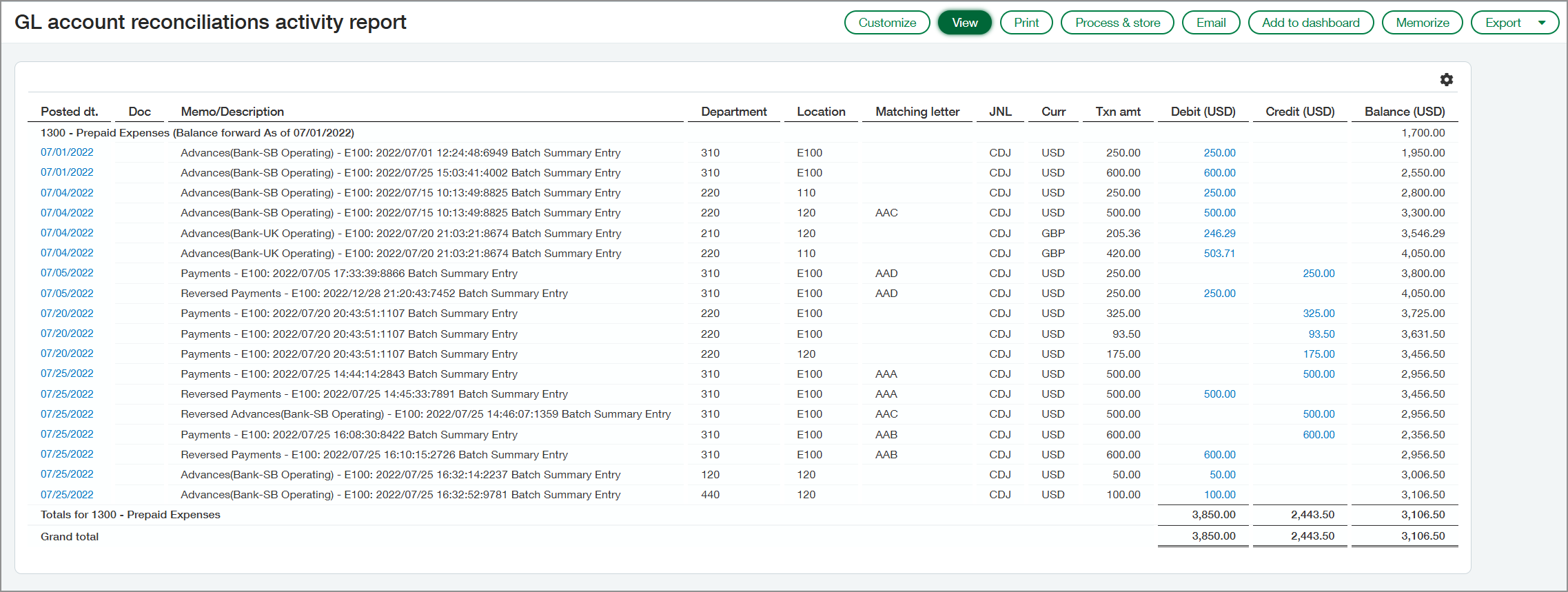
Use the GL account reconciliation activity report to generate comprehensive reports with match results. Depending on how you filter the report, it shows the following information:
-
Transaction activity that has been matched
-
Transaction activity that's unmatched
-
Both matched and unmatched activity
Run the report for matched transactions to review and validate the transactions that have been matched and to see the relationship between offsetting debits and credits. Run the report for unmatched transactions to see which transactions represent the remaining, unreconciled balance of the accounts.
How it works
Set up GL account reconciliations and enable it for individual accounts. Then you can match transactions.
Set up GL account reconciliations
-
Set up a document sequence to use for the letter codes.
-
Enable the feature on the General Ledger Configuration page.
-
Enable the feature for individual accounts.
For more information, see Set up GL account reconciliations.
Match transactions
To match transactions, start by applying filters to view a subset of transactions.
-
Go to General Ledger > All > GL account reconciliations.
-
Apply your filters.
-
Select View transactions.
-
Select and match transactions.
For details, see Match transactions using GL account reconciliations.
Run the activity report
For information about the new report, see GL account reconciliations activity report.
Permissions and other requirements
| Subscription |
General Ledger |
|---|---|
| Regional availability |
All regions |
| User type |
Business user |
| Permissions |
To set up:
To run:
|
