Taxes
Updates and enhancements for taxes
This idea came from you
Thanks to your feedback, we made several updates and enhancements to our existing tax features.
Enter partial exemption at the top level
You can now enter partial exemption directly at the top level for your Accounts Payable transactions. This makes it easier to apply partial exemption to supported transactions.
How it works
-
Enable and configure partial exemption on your entity configuration page. Depending on where your entity operates, it might have a different name.
-
Australia - Reduced input tax credit (RITC)
-
Canada - Input tax credit (ITC)
-
All other locations - Partial exemption
-
-
Open an Accounts Payable transaction at the top level.
-
If partial exemption is enabled for the selected entity or location, a Partly exempt column displays with a checkbox for each line.
-
Select the checkbox to apply partial exemption to the transaction line.
If the line applies to an entity that does not have partial exemption, you cannot select the checkbox for partial exemption.
Manually retrieve missing tax submission files
You can now manually retrieve missing tax submission files from when a submission is marked as completed, but the files, bundle number, or submission receipt are not automatically retrieved from Sage Regulatory Reporting.
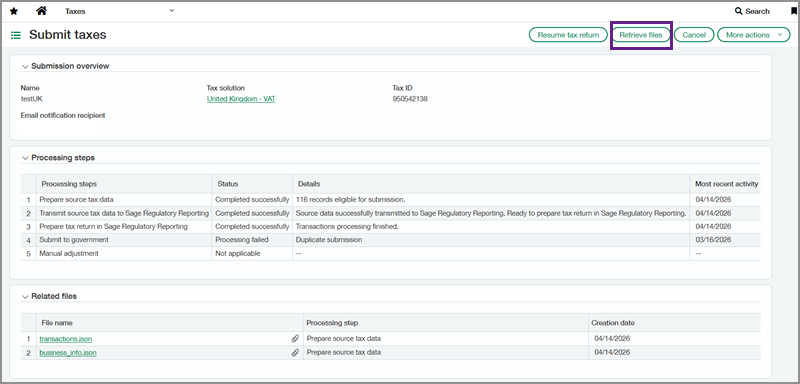
Tax submission files are retained for 30 days after the submission date.
Permissions and other requirements
| Subscription |
Taxes |
|---|---|
| Regional availability |
Partial exemption
Retrieve tax submission files
|
| User type |
Business |
| Permissions |
Company
Accounts Payable
Taxes
|
| Restrictions |
Partial exemption is not supported for recurring Accounts Payable bills. |
