Company & administration
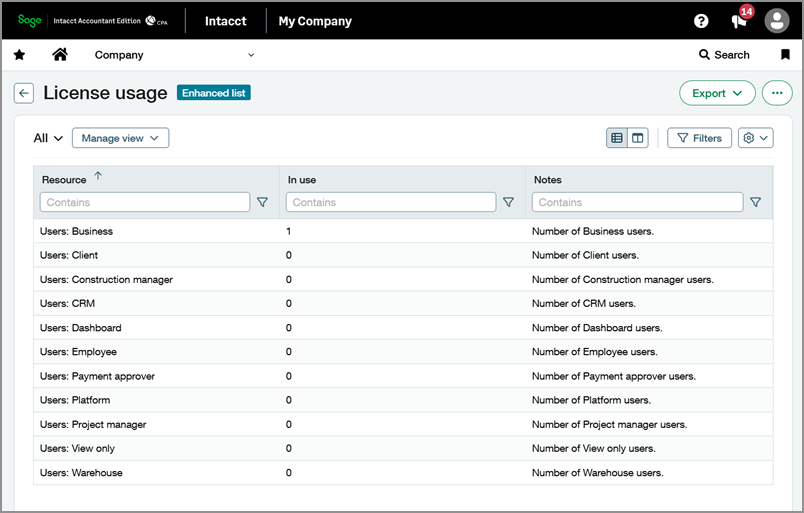
Review license usage by user type
Use the new License usage page to quickly view user counts by type in one place. Instead of filtering the Users page multiple times, administrators can review current usage and compare it against licensed limits to help manage subscriptions and avoid unexpected charges.
Key benefits
Quick visibility: User types and totals are visible in one step.
Reduced manual effort: Previously, viewing the number of users by type required navigating to the Users page and applying individual filters for each user type.
Easier contract compliance: Ensure that you are remaining within the usage limits of your Sage Intacct license, avoiding overage charges.
How it works
Navigate to the new page at Company > Setup > Configuration > License usage.
Use this information to evaluate license utilization before adding users, during periodic reviews, or when investigating potential overages.
Permissions and other requirements
| Subscription | Company |
|---|---|
| Regional availability | All regions |
| User type | Business |
| Permissions | Company
|
