CONSTRUCTION
Work with project costs at your preferred level of detail in work in progress (WIP) management—General availability
You can now choose the level of detail to use in WIP schedules for viewing project costs and entering PM cost forecasts.
Entering more detail can help you go beyond seeing how your projects are performing, and gain insight into the reasons for their performance.
How it works
In the Configure Projects page (Projects > Setup > Configuration), you choose one of the following as the level of detail for project costs:
- WIP schedule projects: Do not break down project costs. View and enter them as totals at the WIP schedule project level. If you use this level of detail, WIP schedules work the same as they have in previous releases of Sage Intacct.
This is the default level of detail.
- Subprojects: Break down project costs by WIP schedule projects and their subprojects.
- Tasks: Break down project costs by tasks within each WIP schedule project and each of its subprojects.
- Tasks and cost types: Break down project costs by combinations of task and cost type within each WIP schedule project and each of its subprojects.
In new WIP schedules, view project costs and enter PM cost forecasts at the new level of detail. You do this for each WIP schedule project separately, in the WIP Schedule Project Breakdown page. Here's an example of this page with the level of detail set at Tasks and cost types:
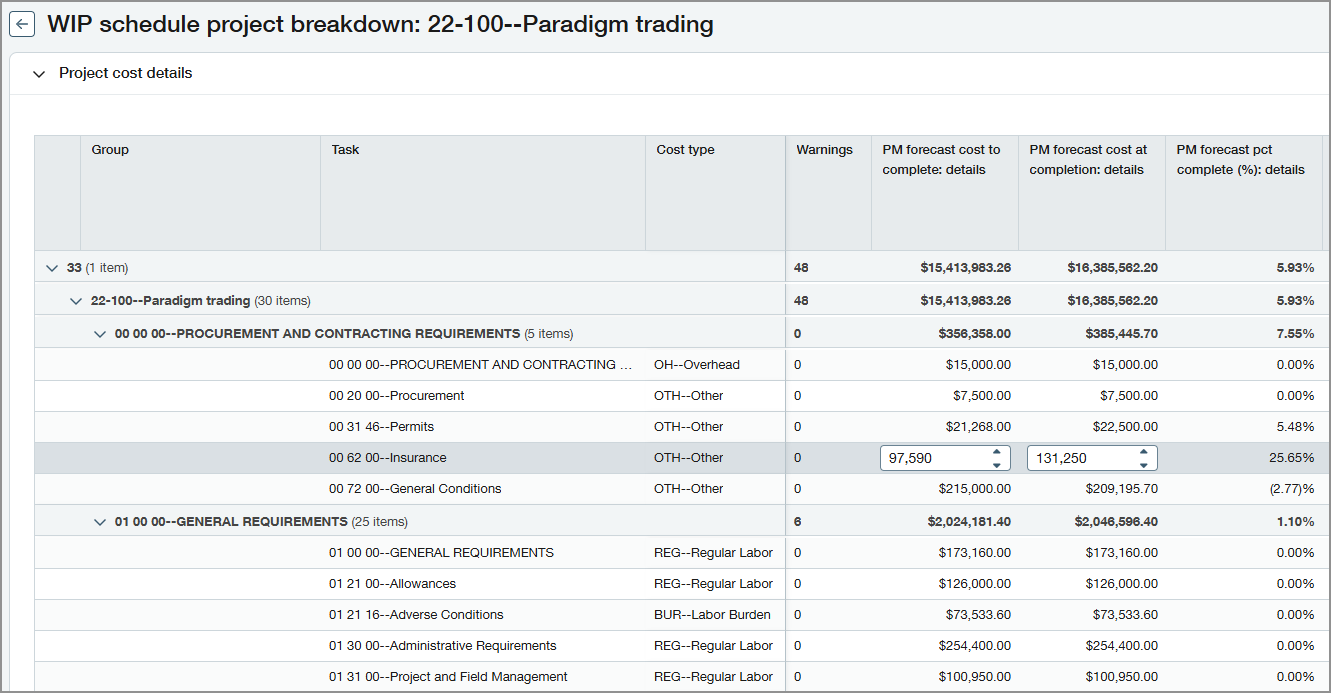
Changing the configuration setting for level of detail does not change existing WIP schedules. However, if you refresh a WIP schedule, it's updated to use the level of detail that's currently set in configuration.
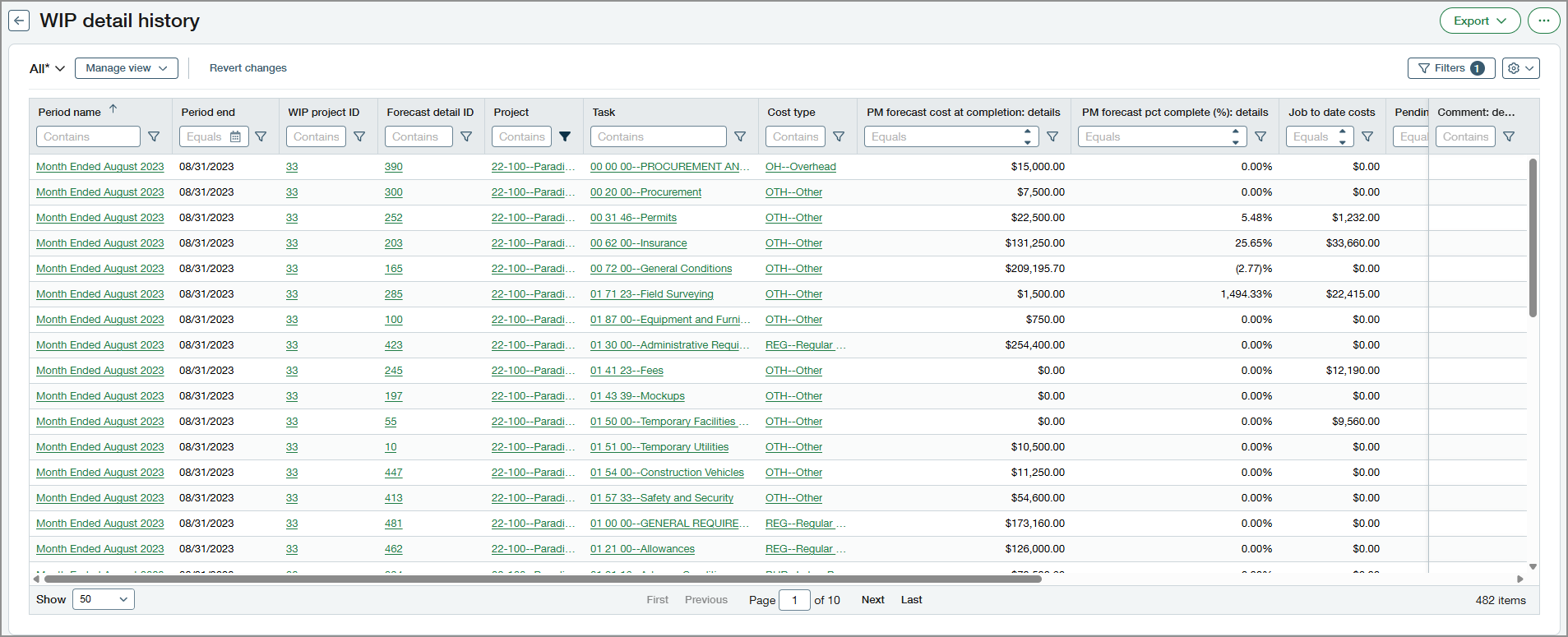
If you break down project costs by Tasks or by Tasks and cost types, you can view the history for project costs at those levels of detail.
Permissions and other requirements
| Subscription | Construction Projects |
|---|---|
| Regional availability |
|
| User type | Business Construction Manager Project Manager |
| Permissions | Projects
|
