LENDING MANAGEMENT
Strengthen your brand consistency with custom statements in Lending Management
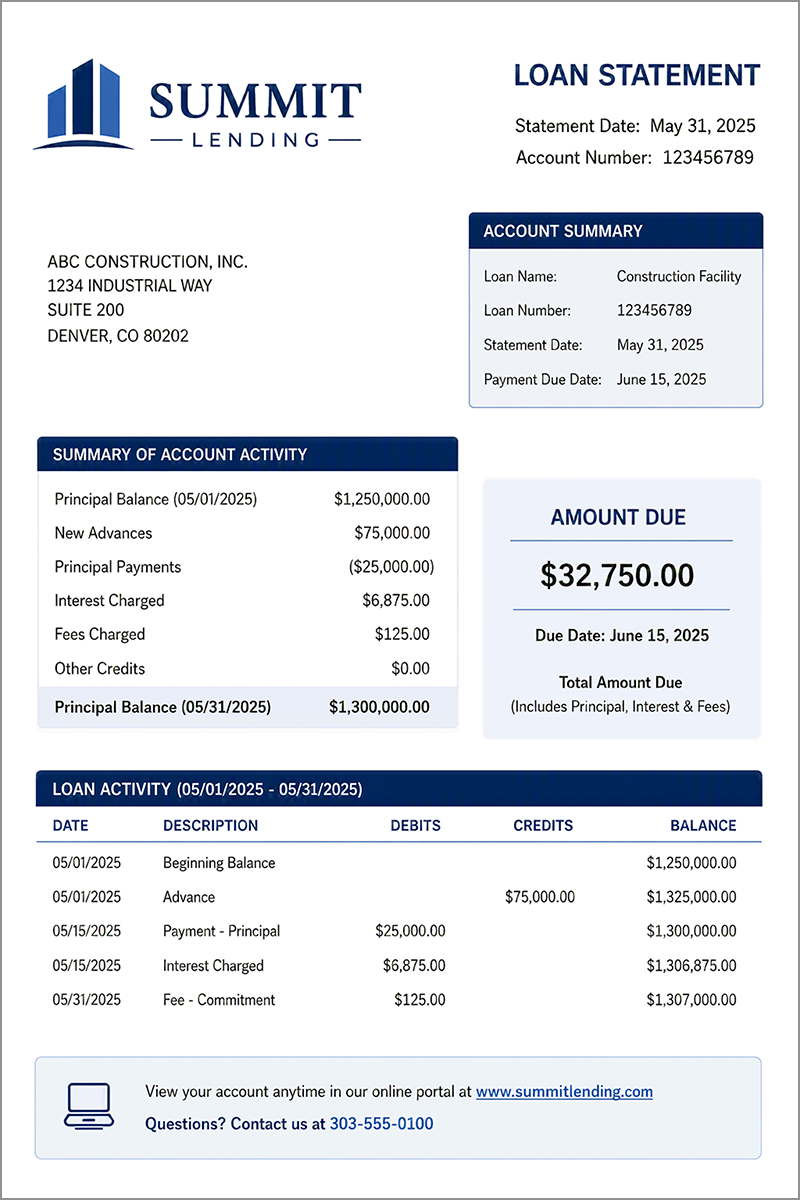
Use printed document templates to create customized, professional templates for loan statements. The templates combine the formatting power of Microsoft® Word with the flexibility of merge fields from Sage Intacct to show specific loan account data.
Here's an example showing how a customized statement can look:
Key benefits
- Maintain familiarity: Keep the statement format borrowers already know and trust.
- Reflect your brand: Create professionally-branded statements that reinforce your organization's identity.
- Support unique requirements: Customize statement content based on your lending model and reporting needs.
How it works
Customizing loan statements involves the following general steps. For more information, including detailed instructions, see the help section for Customizing documents with printed document templates.
- Export a sample template from Sage Intacct.
- Customize the sample template in Word.
- Upload the customized template to Sage Intacct.
- Assign the template to loan statements.
- Test and edit the customized statement format.
- Generate statements and send them to borrowers.
Permissions and other requirements
| Subscription | Lending Management Customization Services or Platform Services |
|---|---|
| Regional availability | United States |
| User type | Business |
| Permissions | Customization Services or Platform Services
|
| Dependencies or other requirements | Users need access to Microsoft® Word. |
