Order Entry
Post multiple draft transactions at once
Save time and reduce manual effort by posting transactions in bulk when you turn on enhanced lists. Previously, you could only post these transactions one at a time.
Key benefits
Get more done with less effort: Update multiple transactions at once instead of posting them one at a time.
Scale with ease: Efficiently manage large volumes of transactions as your organization grows.
How it works
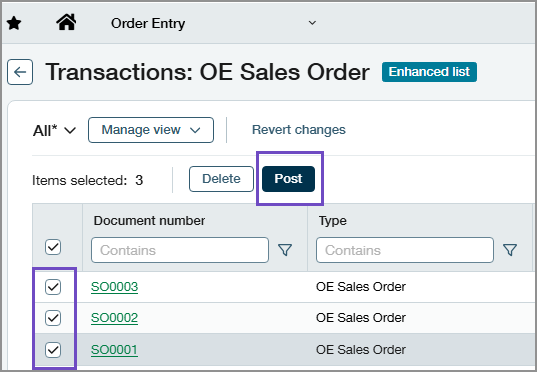
On transaction list pages, we've added a checkbox column. When you select several draft transactions and then select Post at the top of the list, the selected transactions are posted without needing to open them individually.
Permissions and other requirements
| Subscription | Order Entry |
|---|---|
| Regional availability | All regions |
| User type | Business Employee |
| Permissions | Order entry transactions: List, View, Add, Edit |
| Configuration | Turn on enhanced lists |
