sAGE iNTACCT advisory
Attachment permissions for Client users
Assign attachment permissions to Client users so they can include supporting documents with transactions and journal entries. This helps Client users complete transaction entry without relying on another user to add the attachments.
Key benefits
Complete transaction records: Client users can enter complete information, including relevant attachments.
Simplified transaction entry: Transaction entry can now be handled by a single user, without the need to split responsibilities.
How it works
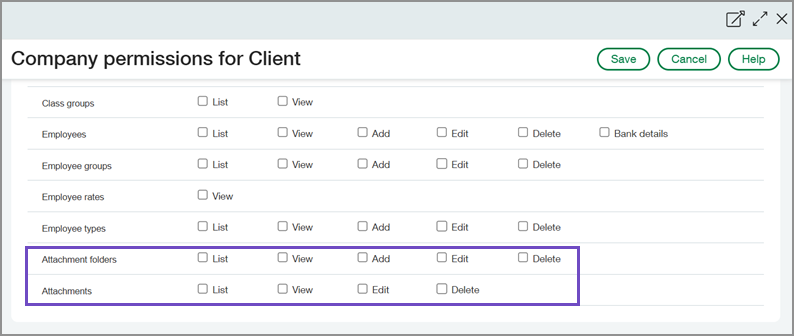
A Business user with admin privileges assigns the appropriate Attachment folders and Attachments permissions to a Client user under the Company application. The Client user can then work with attachments based on those permissions and the application permissions assigned to them.
For detailed instructions, see Assign permissions to users.
Good to know
Attachment permissions do not provide access to every transaction or journal entry. The Client user must also have the application permissions required to use attachments for the relevant record.
Permissions and other requirements
| Subscription | Accountant console |
|---|---|
| Regional availability | All regions |
| User type | Assign permissions Business user with admin privileges Work with attachments Client |
| Permissions | Assign permissions Company
View, edit or delete attachments Company
Add attachments Company
|
