Taxes
Exemption certificate management with Avalara Tax—General availability
Sage Intacct's integration with Avalara's Exemption Certificate Management (ECM) brings ECM visibility into Sage Intacct. You can confirm customer exemption status, request missing certificates, and stay audit-ready without switching between systems. This integration helps reduce billing delays, improves accuracy, and simplifies exemption workflows.
Key benefits
Integration with Avalara ECM: Reduces the need to toggle between applications to manage certificates or update customer records.
Initial bulk sync and ongoing updates: Automated sync and customer record updates ensure that your customer data is accurate across applications.
Exemption visibility: View exemptions directly in the Intacct customer record, including jurisdiction, exemption reason, effective dates, and certificate status.
Certificate request workflow: Send exemption certificate invitation emails to customers directly from the Intacct customer record.
Bring exemptions into transactions: Avalara ECM works with existing exemption use code functionality to create a seamless exemption workflow for your transactions.
How it works
After you subscribe and configure your ECM service in Avalara AvaTax, you can monitor and coordinate most ECM activities from within Intacct. Here's how it works.
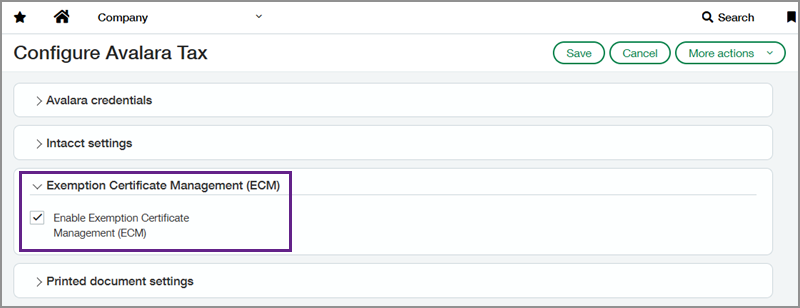
Enable ECM in the Avalara Tax subscription section within Intacct.
Upon enablement, Intacct bulk syncs active customer records to Avalara ECM.
When you update customer details in Intacct, the corresponding Avalara ECM record is automatically updated.
Go to Order Entry > All > Customers and select a customer to view. In the Additional Information tab, the Exemption Certificate Management (ECM) section lets you do the following:
View exemption certificate statuses and details.
Open and view or print certificate images that have been imported into Avalara ECM.
Send exemption certificate invitation emails to customers.
Unlink certificates from customers. You must relink certificates in Avalara ECM.
Enter Avalara's exemption use codes in the Additional Information tab of customer and contact records. Intacct applies the default code to Avalara AvaTax transactions for that contact.
Good to know
Customer records require an email address to be synced with Avalara ECM. Only active customers are synced during the enablement bulk sync.
Add and validate new certificates in Avalara ECM.
If you unlink a certificate Intacct, you cannot relink it in Intacct. You must upload, relink, and manage certificates in Avalara ECM.
Certificate request emails sent through Intacct are generated using a template that you can customize in Avalara ECM.
To request a follow-up on 2026 Release 4 enhancements, fill out this form. Your account manager will be in touch.
To contact your account manager directly, see Contact your Sage Intacct account manager.
Permissions and other requirements
| Subscription | Order Entry Taxes |
|---|---|
| Regional availability | United States |
| User type | Business |
| Permissions | Accounts Receivable Customers: List, View, Add, Edit, Delete Company Application subscriptions: List, View, Subscribe, Configure Order Entry Customers: List, View, Add, Edit, Delete |
| Configuration | Enable ECM in the Avalara AvaTax subscription configuration page. |
| Dependencies or other requirements | You must have an Avalara AvaTax and Avalara ECM subscription. |
| Restrictions | Certificate linking, validation actions, and email template setup are performed in Avalara ECM. |
