Time
Manage crew timesheets using Sage Intelligent Time
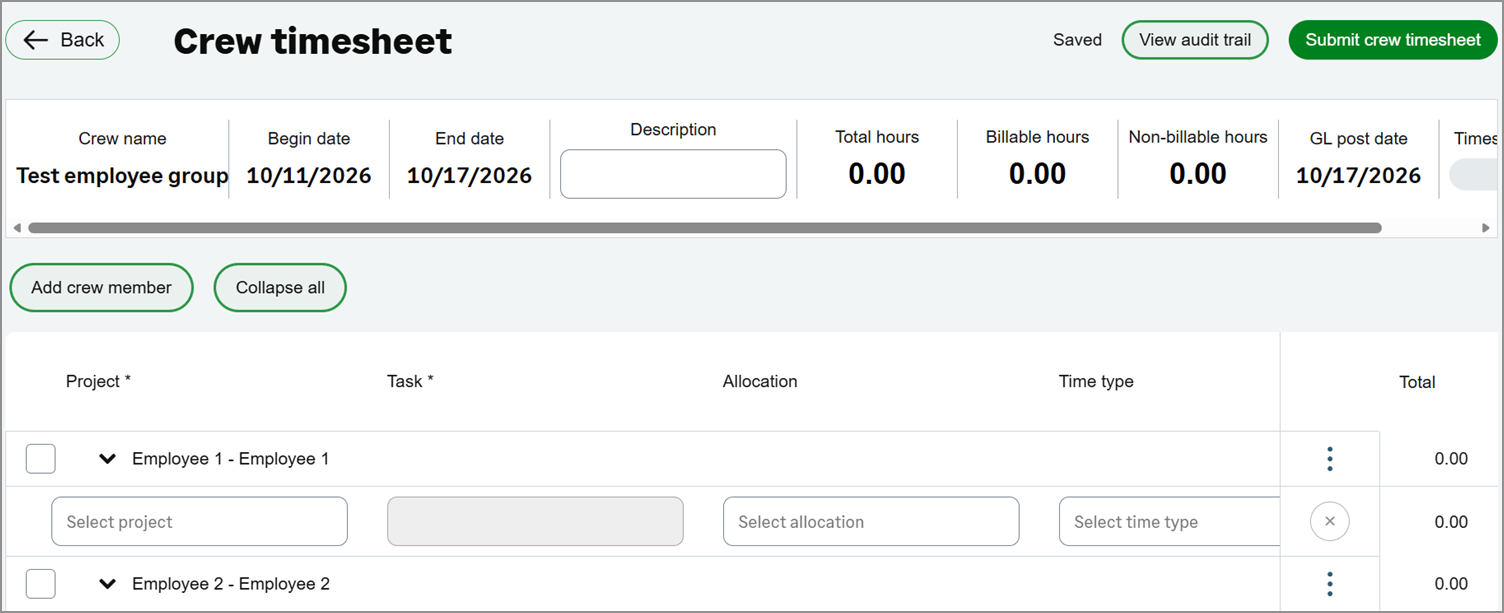
Sage Intelligent Time allows you to create and submit timesheets for multiple employees in a single action using crew timesheets. This feature saves time, reduces repetitive data entry, and helps ensure consistency for teams that work the same shifts, tasks, or cost codes.
Key benefits
Enter time for multiple employees: Record and submit timesheets for an entire crew in one action.
Reduce manual effort and errors: Minimize repetitive work and help maintain accurate time records.
Apply tasks and cost codes in bulk: Quickly assign common tasks and cost codes to employees who work the same jobs.
How it works
Use employee groups to create crews for timesheets.
Create a crew timesheet to enter and submit time for multiple employees at once.
Approve or decline crew timesheets.
You can submit an entire crew timesheet or submit individual employee timesheets separately.
What's changed
We've added the following label to the Time menu:
Crew timesheets: Manage crew timesheets for multiple employees.
Good to know
Use employee groups to create crews for timesheets.
Time entered on a crew timesheet is recorded on each employee's individual timesheet.
Submit an entire crew timesheet or individual employee timesheets separately.
Crew timesheets follow the standard approval process.
Permissions and other requirements
| Subscription | A subscription to at least one of the following Sage Intacct applications is required:
|
|---|---|
| Regional availability |
|
| User type | Business Employee Project Manager |
| Permissions | Time
|
| Configuration |
