Tips for entering forecasts in work in progress (WIP) schedules
Related information
 Related topics
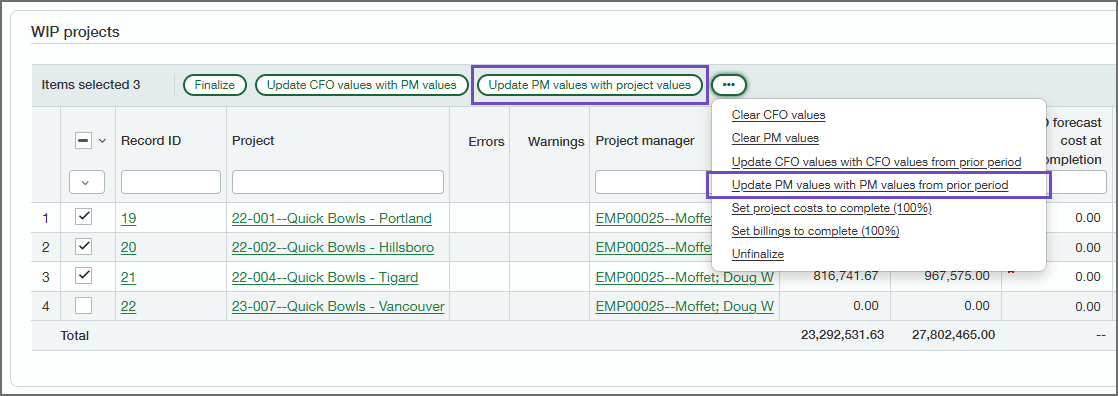
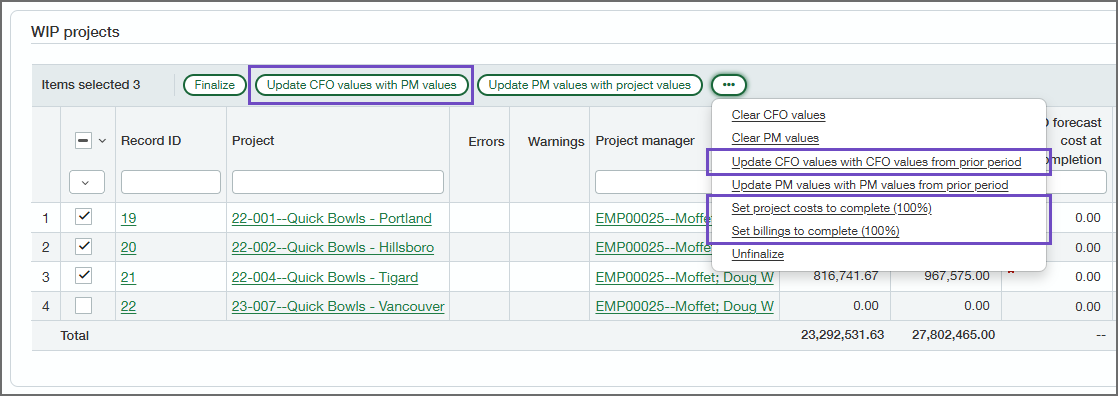
You can save time entering PM and CFO forecasts using the buttons above the grid. Select projects (for best performance, select fewer than 500 projects at a time), and then select one of the buttons to enter forecast values for the selected projects. If there are already forecast values entered, they'll be replaced.
Buttons for entering PM forecasts
| Button | Description |
|---|---|
| Update PM forecasts with project values |
For each selected project, replaces the current PM forecasts with values taken from the project contract and estimates for the project.
|
| Update PM forecasts with PM forecasts from prior period |
For each selected project, replaces the current PM forecasts with the PM forecasts from the prior period's WIP schedule. The following fields are updated:
|
| Update PM forecasts based on primary forecast estimate |
For each selected project, replaces the current PM forecasts (except PM forecast contract value) with values based on the project's primary forecast estimate.
|
Buttons for entering CFO forecasts
| Button | Description |
|---|---|
| Update CFO forecasts with PM forecasts |
For each selected project, replaces the current CFO forecasts with the current PM forecasts.
|
| Update CFO forecasts with CFO forecasts from prior period |
For each selected project, replaces the current CFO forecasts with the CFO forecasts from the prior period's WIP schedule. The following fields are updated:
|
